

16 min read · Updated: 2026-11-28
A motion light usually stays on because its timer is set too long, the sensor keeps detecting movement, or the light is in a mode that overrides automatic shutoff. Check the operating mode and timer first, then inspect sensor direction and nearby heat, reflections or moving objects. Testing one change at a time helps identify the cause.
Start by observing the light without changing anything: note when it comes on, whether it ever switches off, and what is moving nearby. If it is a smart model, check its app for schedules, sensitivity settings and automation rules that might keep it illuminated.
Work through the checks in order, allowing the light to respond after each adjustment. If the settings look right but the light remains on, a power cycle or manufacturer-specific reset may help; consult the device instructions before resetting, since this can erase saved settings.
- Check automatic mode and the timeout before adjusting the sensor.
- Repeated movement can restart the countdown and keep the light on.
- Aim the sensor away from traffic, heat sources and moving objects.
- Change one setting at a time and test in a quiet area.
How motion-activated lights detect movement
What the sensor detects
Most motion lights use a passive infrared sensor that responds to changes in heat moving across its field of view. A person walking past is likely to trigger it, while a stationary person may stop registering after a short time. The light's timer then begins counting down once the sensor no longer detects movement.
Some smart lights use other sensing methods, such as radar or a camera, and may offer different sensitivity controls. Check the product instructions or app to learn what type of sensor your model uses. Knowing this helps explain why a pet, passing car or moving curtain might keep triggering the light.
A light that switches off briefly and then comes back on is often detecting movement again, rather than failing to time out. Watch the sensor's view while the light is on, including areas beyond the path you intended to cover. This distinction helps focus troubleshooting on sensor triggers instead of immediately changing the timer.
How detection resets timing
Many motion lights restart their countdown whenever they detect movement, so repeated triggers can make the light appear continuously on. A sensor facing a busy walkway may receive another signal before the previous countdown ends. The lamp can therefore stay lit for hours even when its individual timeout is relatively short.
Some models distinguish between motion detection and occupancy, keeping the light on while movement continues within the monitored area. Others use a fixed timer that starts after each new trigger. If your light has a companion app, check its detection or hold-time settings, since the labels vary across products.
Test the light in a quiet period by leaving its sensor area and observing whether it turns off. If it does, ongoing movement is a likely explanation; if it does not, examine the mode and timer next. Avoid standing just outside the apparent detection zone, as the sensor may still register small movements.
Check the timer and operating mode
Confirm automatic operation
Set the light to its automatic or motion-sensing mode before changing the timeout. A manual-on setting can keep the lamp lit regardless of movement, while a test mode may behave differently from normal operation. Check both the physical switch and the app, because one control can override the other.
If a wall switch controls the light, turn it off and back on only as directed by the product instructions. Some devices interpret a particular switch sequence as a mode change or reset, so avoid repeated toggling without checking the manual. In an app, look for overrides, schedules and active automations.
A light that started staying on after an app change may be following a schedule or rule rather than its built-in sensor timer. Review routines that turn it on and check whether another smart-home device can hold it on. Businesses that sell or install motion lights may use Local Seo Services to help nearby customers find accurate product and support information.
- Select automatic or motion mode.
- Check for a manual-on override.
- Review schedules and smart-home routines.
- Consult the instructions before using switch sequences.
Shorten the timeout
Once automatic mode is confirmed, reduce the timeout to a short, practical setting and test the light from outside its detection area. The exact control may be called duration, hold time or on-time. If the light now switches off as expected, increase the setting gradually until it suits the location.
A long timeout does not necessarily indicate a fault; it may simply reflect a setting chosen for convenience. Compare the current setting with the manufacturer's instructions, especially if the adjustment is a dial rather than an app slider. Some dials have broad markings, so small changes and repeat tests make results easier to interpret.
If the light stays on beyond the selected timeout, check whether fresh movement is restarting the countdown before assuming the timer is defective. Keep the test area still and avoid approaching the sensor while waiting. If the timer still fails under quiet conditions, try a power cycle or contact the maker for model-specific guidance.
Adjust sensor range and direction
Aim away from traffic
Point the sensor toward the area where you want detection, not toward a street, shared walkway or neighboring yard. Even a small change in angle can exclude repeated movement that keeps resetting the light. Make adjustments gradually, then walk through the intended area to confirm that people are still detected reliably.
- Mark the intended detection area.
- Make a small sensor-angle change.
- Test the light from several approach directions.
- Keep the position that limits unwanted triggers while covering the target.
A sensor mounted too high or aimed too broadly may cover more ground than expected. Check whether its view reaches a road, doorway or path beyond the target zone, then use the manufacturer's adjustment method to narrow the coverage. Do not cover the sensor with tape or other material, which can interfere with operation or damage the unit.
If the sensor and lamp are separate, adjust the sensor without moving the light head unless the instructions say otherwise. Aiming the lamp at a wall or window can create glare, while changing the sensor's direction affects what triggers it. Record the original positions so you can return to them if a test makes detection worse.
- Identify the area that should trigger the light.
- Turn the sensor away from busy paths or roads.
- Test detection by walking through the target area.
- Restore the original angle if coverage becomes unreliable.
| Method | Best for | Test |
|---|---|---|
| Change sensor angle | Unwanted movement to one side | Walk through the intended zone |
| Lower sensitivity | Triggers beyond the target area | Test near and at the zone edge |
| Reduce range | Overly broad detection | Approach from different directions |
| Secure moving objects | Plants or fabric in view | Retest in similar conditions |
Reduce detection range
Lower the sensitivity or range setting if the light reacts to movement well beyond the space it should cover. Change only one control at a time, since range, sensitivity and detection-zone settings may affect one another. After each adjustment, test both a nearby approach and the edge of the intended area.
Some outdoor sensors detect movement more effectively across their field than directly toward or away from it. If a person walking straight at the light does not trigger it, try a crosswise approach during testing. The goal is not simply the shortest range, but dependable detection where it is useful.
Use the comparison below to choose a sensible adjustment method for your sensor. A physical dial may offer broad changes, while an app can provide more specific controls depending on the model. If a setting is unclear, consult the device guide instead of assuming that a higher value always improves performance.
Look for moving branches, flags, curtains or plants inside the sensor's view, since repeated motion can retrigger the light.
Look for environmental triggers
Check nearby movement and heat
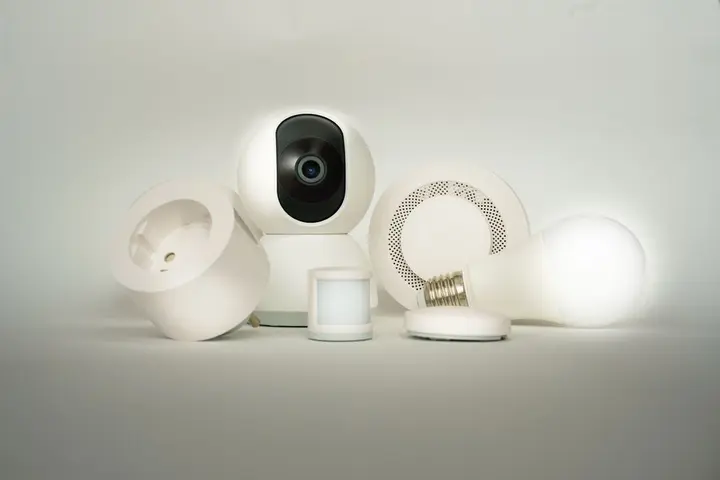
Look for moving branches, flags, curtains or plants inside the sensor's view, since repeated motion can retrigger the light. Outdoor sensors may also respond to heat changes from vents, heating equipment or warm vehicle engines. Observe the area while the light is active rather than relying on what is visible during daylight.
- ☐ Secure plants or fabric that move in the sensor's view.
- ☐ Check for nearby vents or warm equipment.
- ☐ Watch for animals or insects near the sensor.
- ☐ Compare activation with wind or equipment use.
Trim or secure anything that moves across the detection zone, and redirect the sensor away from heat sources where possible. Test one change at a time so you can tell which trigger mattered. A retailer reviewing its online product pages may use Seo Services to improve how shoppers find clear troubleshooting guidance.
Insects or small animals close to a sensor can also cause unexpected activation, depending on its technology and sensitivity. Look for a pattern: note whether the light turns on at a particular time, during windy conditions or when equipment runs. This can point to an environmental cause that a timer adjustment will not fix.
- Secure moving plants, fabric or flags.
- Redirect the sensor away from vents and warm equipment.
- Observe whether wind or equipment use matches activation.
- Retest after changing one environmental trigger.
Inspect reflections and weather
Bright reflections from windows, pale walls or shiny surfaces can complicate sensor behavior, particularly when the light and sensor share a housing. Check whether the lamp shines onto a surface that reflects light back toward the unit. Adjust the lamp or sensor orientation if the instructions allow, then repeat the same quiet-period test.
Rain, condensation, dirt or a loose sensor cover may also affect operation, depending on the device design. Inspect the exterior only when it is safe to do so, and clean the sensor gently using the method recommended by its manufacturer. Do not open a sealed outdoor fitting or spray it with water unless its instructions permit this.
If the light still stays on after you rule out reflections, moving objects and weather-related issues, check for a firmware or wiring concern. Smart models may show device status or error messages in their app, but not every product provides diagnostics. For electrical work or signs of damage, use a qualified professional rather than opening the fitting.
Test the bulb, wiring, and power
Check the bulb and fitting
Start by checking whether the light is designed to work with the bulb currently installed. Some motion fixtures require a particular bulb type or wattage, and an incompatible LED can flicker, remain faintly lit, or behave unpredictably after the sensor switches off. Compare the bulb’s specifications with the fixture label or manual before replacing it.
Turn the power off at the switch or breaker before touching the bulb or opening any accessible cover. Let a recently used bulb cool, then check that it is seated properly and that the fitting shows no visible damage. If the fixture has an integrated LED, do not try to replace internal parts unless its instructions describe that as a user task.
After confirming compatibility, test with a known-good bulb of the type specified by the manufacturer, if the fixture allows bulb replacement. Observe whether the light now switches off at the expected time without changing other settings. Changing one thing at a time helps distinguish a bulb problem from a sensor or control issue.
Inspect safe power connections
Look for simple signs of a power problem, such as a loose plug, a tripped breaker, or a wall switch that has been left in a position that bypasses sensor control. For a plug-in light, reseat the plug only when the area is dry and safe. For a hardwired fixture, leave wiring checks to a qualified electrician.
A light that stays on steadily may not be receiving a clean off command, while pulsing, dimming, or repeated resets can point to an unstable supply or failing control component. Note exactly what the light does and when it happens. That description is more useful to a technician than saying only that the sensor is faulty.
Do not remove a hardwired fixture’s cover or handle exposed conductors to investigate. Switch off power at the breaker if there is heat, a burning smell, buzzing, or visible damage, and keep the light unused until it has been checked. Electrical symptoms deserve a safety-first response, not repeated trial-and-error adjustments.
Choose the right light for the location
Match the fixture to its setting
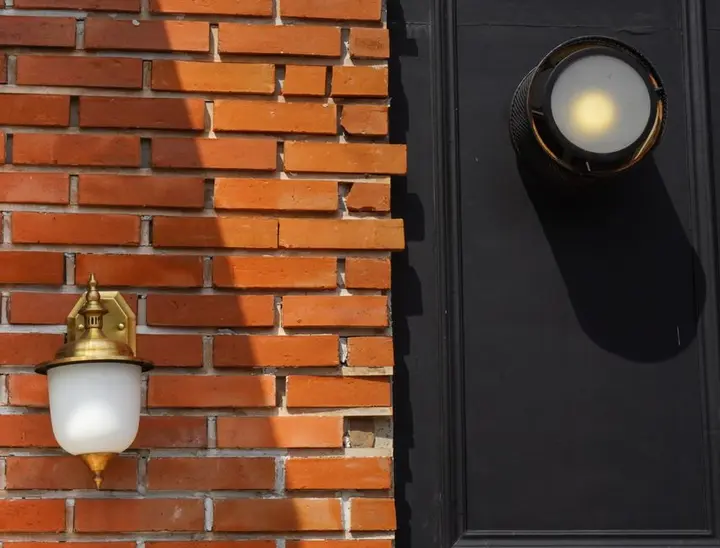
Choose a motion light rated for the place where it will operate, especially when it is exposed to rain, dust, or temperature changes. A fixture intended for indoor use may malfunction outdoors, while a sheltered porch can still experience dampness and cold. Check the product’s installation and environmental requirements before relocating or replacing it.
For a hallway or bedroom route, a low-level motion night light may be more suitable than a bright security floodlight. A gentle output reduces glare, and a shorter operating period can help prevent sleep disruption. At entrances or driveways, select a fixture whose sensor coverage matches the approach rather than illuminating every passing area.
A smart model can add schedules, sensitivity controls, or app alerts, but those features do not correct an unsuitable location or incompatible power source. Check whether it requires a hub, a particular wireless connection, or a specific control method before buying. The simplest suitable fixture is often easier to configure and troubleshoot.
Plan placement and coverage
Aim the sensor at the route people actually use, not at a road, swaying tree, or warm air outlet. A sensor covering a busy area may repeatedly detect movement and keep resetting its timer. Adjust the mounting position so the detection zone includes the approach but excludes routine activity that should not trigger the light.
Consider where the light’s beam falls as well as where its sensor points. A fixture aimed at a reflective surface can create glare, and a sensor positioned close to a heat source may respond to changing warmth. Check the manual for mounting height and angle guidance, since detection performance varies by model.
Before drilling new holes, temporarily test the intended direction using the fixture’s adjustment range or a safe temporary setup recommended by its instructions. Observe it during the hours when the unwanted behavior usually occurs. This helps reveal passing traffic, pets, or nearby activity that a quick daytime check might miss.
When to seek product or installation support
Gather useful troubleshooting details
Contact the seller or manufacturer when the light remains on after you have checked its documented settings, bulb compatibility, and safe external connections. Have the model information, purchase details, and a clear description of the behavior ready. Explain whether it stays fully bright, glows faintly, or switches off and then immediately returns.
- Guessing at wiring faults; stop using the fixture and ask a qualified electrician to inspect it.
- Changing several settings at once; adjust one documented control, then observe the result.
- Continuing to use a hot or damaged light; isolate its power safely and seek professional help.
Record what you have already tested, including the operating mode, timer setting, and whether the problem changes in different weather or at different times. If the light is smart-enabled, note any app messages or connection changes without sharing account passwords. A concise record helps support staff avoid asking you to repeat safe checks.
If you are a motion-light installer serving Leicester and Leicestershire, Leicester Seo Services may help local customers find your support options when they need assistance. Keep product troubleshooting separate from promotional claims, and make sure any installation guidance you offer is specific to the fixture and safe for the customer to follow.
Know when an electrician is needed
Ask a qualified electrician to inspect a hardwired light if it stays on despite correct settings, behaves erratically, or shows signs of damaged wiring. The same applies if the breaker trips repeatedly or the fixture makes unusual electrical noises. These symptoms may involve the circuit or internal components, which are not appropriate for casual DIY testing.
Stop using the fixture if you notice a burning odor, scorch marks, melted plastic, unusual heat, or water inside the housing. If it is safe to do so, switch off its circuit at the breaker and keep people away until it has been assessed. Do not restore power simply to capture a video of the fault.
For a plug-in or battery-powered product, contact the maker if the unit is damaged, repeatedly resets, or fails after following its troubleshooting instructions. Ask whether the model is designed for the location and supply you are using. Warranty terms and safe repair options depend on the product, so avoid opening sealed components yourself.
Keep motion lights working reliably
Use a simple maintenance routine
Keep the sensor lens and light cover clean, since dust, cobwebs, or grime can interfere with detection or illumination. Follow the maker’s cleaning instructions and use a soft, dry or lightly damp cloth only when the fixture’s rating permits it. Avoid spraying cleaner directly onto the sensor, seams, or electrical parts.
- Clean the sensor lens gently and follow the fixture’s care instructions.
- Keep the detection zone clear of routine movement and heat sources.
- Change one setting at a time so you can identify the cause.
Recheck the sensor’s aim after seasonal changes or nearby outdoor work. Branches can grow into the detection zone, and a moved bin or decoration may create a new trigger. If the light begins staying on again, first look for changes around the fixture before resetting every control or replacing the unit.
For smart lights, keep a note of the settings that work, including the chosen mode and timer behavior. If an app or hub controls the fixture, check its instructions before updating or resetting anything, because a reset may erase schedules or pairings. Restore one setting at a time and test the light after each change.
Confirm performance after changes
After any adjustment, test the light from the direction and distance people normally approach. Give it time to complete its shutoff cycle, then check whether ordinary movement triggers it again. A brief test at the fixture itself may miss repeated activation from a path, doorway, or nearby outdoor area.
Test during the conditions linked to the problem, such as darkness, wind, or a busy evening, while staying clear of unsafe electrical parts. If the light behaves normally in calm conditions but stays on during gusts, investigate moving objects in the sensor’s field. If the fault persists in all conditions, record that pattern for support.
Keep the fixture’s instructions and product details somewhere accessible, especially if several household members use the controls. This makes it easier to restore the correct mode after a power interruption or accidental switch change. A repeatable test and a written record help separate a genuine fault from a setting that has simply been altered.
Frequently asked questions
Can a motion light stay on because the sensor is dirty?
Yes. Dust, cobwebs, or grime on the sensor lens can affect detection, although a dirty lens is not the only possible cause of a light staying on. Turn the fixture off if needed, then clean it using the manufacturer’s recommended method. If the behavior continues, check the documented settings and surrounding triggers before seeking product or installation support.
Why does my motion light switch off and then come back on?
The sensor may detect movement again immediately after the light switches off, restarting its timer. Passing traffic, pets, moving branches, or a heat source within the detection zone can cause repeated triggers. Observe the area when the light returns, then adjust the sensor’s direction or coverage according to the manual. If no trigger is apparent, record the pattern for support.
Should I reset a smart motion light to fix it?
A reset can help if the manufacturer recommends it, but it may erase schedules, pairing, or other settings. First check the operating mode, timer, and any relevant app controls, and note the current configuration. Follow the product’s reset instructions only after simpler checks. If the light still remains on, contact the maker rather than repeatedly resetting it.
Is it safe to leave a motion light on while troubleshooting?
A light that is operating normally can generally remain in use while you check its settings, but stop using it if it becomes unusually hot, smells burnt, buzzes, or shows visible damage. If it is safe, switch off its circuit at the breaker and arrange a qualified inspection for hardwired equipment. Never open a live fixture or touch exposed wiring.
Restore a predictable shutoff
A motion light that stays on all night is often responding to a setting, repeated movement, an unsuitable bulb, or a problem with the fixture or its power. Check each possibility safely and change only one thing at a time. If you find heat, damage, or signs of wiring trouble, stop troubleshooting and contact a qualified professional rather than continuing to operate the light.
Your next step is to note the light’s model and the exact pattern of its behavior, then compare its settings and bulb requirements with the manual. Test the sensor’s coverage during the hours when the issue occurs, and keep the area clear of routine triggers. If those checks do not restore reliable shutoff, share your notes with the manufacturer or an electrician.


