

7 min read · Updated: 2026-10-13
If you want an event listing on BookMyShow, you must prepare a clear event profile, choose the right category, and follow a structured submission process. This article explains each step with practical actions that tech teams and organizers can replicate. You’ll learn how to verify details, optimize discoverability, and avoid common mistakes that slow approvals.
Next, we cover how to create listings across platforms, what BookMyShow expects from organizers, and how to tailor your entry for local audiences in Blackpool. The goal is to equip you with a reproducible workflow that minimizes back-and-forth with support teams. Expect concrete steps, checklists, and real-world cues you can apply today.
Finally, we outline options and potential pitfalls that matter to tech-minded organizers: data accuracy, media requirements, and schedule alignment. The guidance stays focused on delivering a fast, reliable listing experience rather than hype. Use the patterns here to adapt to other regional marketplaces as well.
- To list your event on BookMyShow, gather essential event data, choose the right category, and follow the submission workflow. Verify details to avoid blockers and test the listing once published. Optimize titles, descriptions, and media for local Blackpool readers.
- The process hinges on accurate data, clear policies, and consistent media. Plan for any regional nuances that affect visibility, such as local keywords or venue proximity.
- Use the available options for multi-venue or hybrid events to reach broader audiences. Maintain the listing with up-to-date information and response-ready support channels.
- Be prepared to monitor performance, adjust keywords, and refresh media to improve discovery and attendee conversion.
Basics of listing on BookMyShow
Ask the right questions
Start by clarifying what you are listing: a concert, workshop, or screening. Gather essential details such as title, date, venue, and capacity. This reduces back-and-forth and speeds up approval when the form is submitted. list your event in Blackpool. BookMyShow makes it straightforward to get your event visible through a formal listing.
Thereafter, map your event to BookMyShow’s categories to avoid misclassification. A precise tag and description help the platform surface your listing to interested users.
Ensure your content follows platform guidelines and avoids restricted content; this prevents rejection and construction of a cleaner listing payload.
- Define event type clearly
- Collect accurate venue data
- Double-check eligibility requirements
Submit and verify details
Submit the listing with all required fields, then review the confirmation page for any flagged items. Small errors in date or time formats are common blockers. Correcting them promptly keeps the process moving.
Use a stable contact email and phone number for updates; a delay in responses can slow approval and hurt early-bird sales.
Maintain a local angle in the description to help Blackpool audiences connect with the event.
- Check all dates and times
- Confirm venue availability
- Provide a contact channel
How the listing shows to users

How discovery works
BookMyShow uses keywords, categories, and location to surface events. A well-chosen title and concise description improve relevance in user searches. Reserve space in the first paragraph for the core value proposition. Blackpool news often highlights local events, so tie-ins can boost relevance and reach.
- A strong first sentence helps; the rest supports details.
- Keep media compliant with platform specs.
Images and media influence click-throughs; ensure your hero image meets size and format standards. A clear photo sets expectations for the event.
Location tagging boosts local visibility; linking to nearby venues or landmarks helps local readers identify relevance.
What you should include
List the exact date, start time, and duration so readers understand commitment. Include accessibility notes and seating type where relevant to reduce ticketing friction.
Provide a short, factual program outline to help users decide quickly if the event fits their interests. Avoid vague promises and hype.
Offer a visible refund or transfer policy to reduce buyer hesitation and protect your brand.
- Clear date and time
- Program outline
- Refund policy
Options for different organizers
Single venue or multi-venue listings
If your event spans venues, synchronize dates and times across listings to avoid confusion. Use a single primary listing with secondary venue notes if supported. This keeps the user journey straightforward and reduces maintenance. find local businesses in Blackpool can help partners cross-promote your event and share audiences.
- Consistency across venues improves trust.
- Hybrid options expand audience reach.
For tech-heavy events, offer a virtual or hybrid option and clearly label it to avoid misinterpretation.
Coordinate with venue managers to secure correct addresses and access details for the platform.
- One primary listing
- Secondary venue notes
- Hybrid option labeling
| Option | Pros | Cons |
|---|---|---|
| Single venue | Simple management | Limited reach |
| Multi-venue | Wider audience | Higher maintenance |
| Hybrid/virtual | Flexibility | Technical setup needed |
Fees, refunds and policies
Understand how BookMyShow handles fees and refunds from the organizer side. Your policy should be reflected clearly in the listing to prevent disputes and chargebacks.
If refunds are allowed, state timelines and conditions upfront so buyers are not surprised during checkout.
Keep a written policy ready in case customer support needs to reference it during disputes.
- Transparent fees
- Clear refund terms
- Accessible policy copy
Include captions that describe the media and highlight key details like date, location, and genre.
Advanced listing features
Rich media options for listings
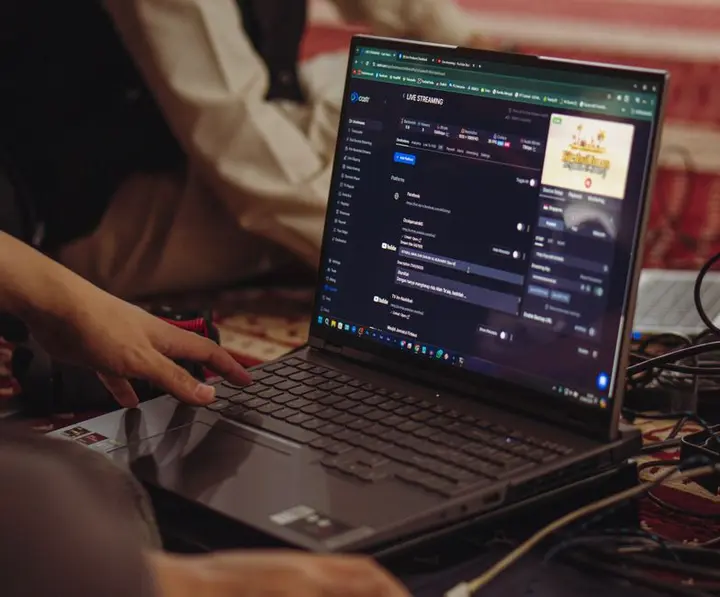
Publishers can add high-quality photos and short videos to improve engagement, ensuring visuals meet platform size requirements. Use a cover photo that clearly represents the event and a secondary image that shows the venue or performers. These assets should load quickly and be optimized for mobile screens. sell second-hand items in Blackpool can be a side activity for events with a marketplace component.
Include captions that describe the media and highlight key details like date, location, and genre. Descriptions should be concise, informative, and free of jargon so users grasp the event at a glance.
Consider adding a short trailer or behind-the-scenes clip if available, but avoid oversized files that slow down the page. Test how media renders on different devices to guarantee a smooth user experience.
- Use at least one landscape image
- Keep video under 60 seconds when possible
- Compress images to improve load times
- Ensure captions match the event details
Region-specific considerations
Local language and currency
If BookMyShow allows regional settings, set the display language to match Blackpool audiences or your target demographic. Choose currency options that are familiar to attendees to prevent confusion at checkout. Clear language reduces abandoned carts and increases trust. obituaries in Blackpool
- Confirm language used on the listing
- Set currency to GBP if available
- Reference nearby landmarks for accessibility
- Explain any regional service fees clearly
Adjust the event title and description to reflect UK conventions and place names, avoiding literal translations that may confuse readers. Include nearby landmarks or transit notes to help attendees plan their visit.
Consider regional tax rules and any platform-specific fees, and disclose these transparently in the ticket section. This helps organizers build credibility and reduces service-related inquiries.
- Use local spellings and terms
- Mention nearby transportation options
- Clarify any regional fees upfront
- Ensure price tiers are clear
Maintenance and updates

Keeping listings current
Regularly refresh event details such as date, venue, and availability to avoid misinformation. A stale listing frustrates users and can lead to refunds or bad reviews. Schedule periodic audits or automated reminders to review changes.
If artists or venues shift, update media and descriptions to reflect new information. This prevents mismatches between what users see and what they experience.
Track user questions and adjust the listing to address common concerns, such as accessibility, parking, or age restrictions. Proactive updates reduce support requests and build trust.
- Set review reminders
- Update media when plans change
- Respond to FAQs in the listing
- Audit for accuracy before publishing
Measurement and optimization
Analytics to watch
Monitor impressions, clicks, and booking conversions to gauge listing effectiveness. Use these signals to identify which media or copy resonates with the audience. Small changes can yield meaningful improvements over time.
- ☐ A/B test listing elements
- ☐ Prioritize changes with clear impact
- ☐ Keep a changelog of updates
- ☐ Review analytics weekly
Experiment with different titles, descriptions, and media to learn what prompts more bookings. Run controlled variations and compare results to avoid overhauling the entire listing.
Use funnel analysis to detect where users drop off, such as after viewing the ticket options. Address those friction points with clearer calls to action or simplified checkout steps.
- Track conversion rates
- Test alternative headlines
- Analyze media performance
- Review bounce points
Frequently asked questions
Can I edit a listing after it's live
Yes. You can usually update the title, description, media, and schedule after the listing goes live. Changes apply quickly, but some parts may take a little time to show to all users. Always verify the live view after saving.
What happens if ticket inventory changes
If inventory changes, update the listing promptly to avoid showing unavailable seats. Use clear notes about remaining tickets, waitlists, or new release windows to manage buyer expectations.
Are there region-specific rules I should know
Regional rules affect language, currency, and tax presentation. Align the listing with local norms and ensure accessibility notes and hours are easy to find for Blackpool audiences.
How do I measure listing performance
Track impressions, clicks, and booked tickets to see what drives actions. Use small, controlled changes to learn what resonates, and review analytics on a regular cadence to guide future updates.
Next actions for tech-savvy organizers
Take inventory of your current BookMyShow listing and mark any outdated details such as dates, venue, or pricing. Prioritize updates that directly impact buyer confidence, like accurate seat maps and clear accessibility notes.
Set up a recurring reminder to review content every month, and document any changes in a simple changelog. This makes it easier to track what worked and what didn’t, especially across regional audiences.


